
Top section
How to review simple HOA accounting reports
Use the Accounting section to understand the financial picture without turning SmartFlow HOA into complicated accounting software.
What this helps you do
Expected outcome
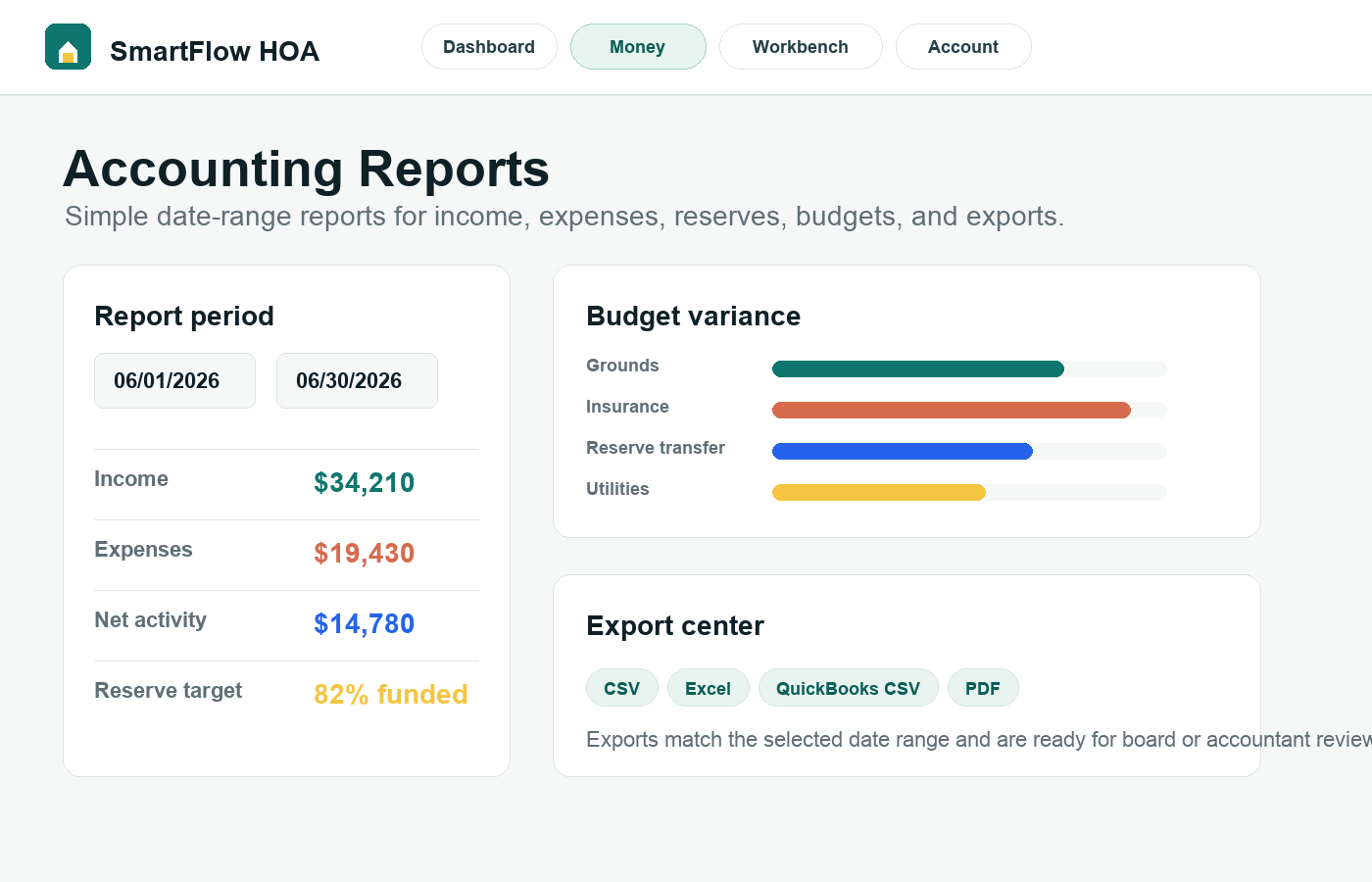
- The board can review income, expenses, and net activity by date range.
- Reserve balance and target information are visible in one summary.
- Budget variance is easier to discuss before a meeting.
- CSV, Excel, QuickBooks CSV, and PDF exports support board and accountant review.
Step-by-step tutorial
Follow the workflow in order.
Each step is written for board members who need to understand what to do and why it matters.
Choose the period before reading the numbers
A useful report starts with a clear period. Use date ranges for board packets, accountant questions, and month-end review. Avoid mixing a monthly conversation with year-to-date numbers unless the board is intentionally comparing both.
Review income and expenses together
Look at deposits, assessment income, reimbursements, vendor payments, maintenance expenses, and other categories in the same period. The goal is not to replace a CPA. The goal is to give the board a readable view of what happened.
Check dues collection against open balances
Accounting should connect back to dues. Review gross paid, net to association, open balances, and overdue units before deciding whether reminders, budget adjustments, or board discussion are needed.
Keep reserve notes visible
Reserve balances, targets, and low-balance thresholds help the board talk about long-term repairs before the situation becomes urgent. Use the reserve panel as a board-friendly reminder, not as legal or tax advice.
Export for the right audience
Use PDF summaries for board packets, Excel for analysis, CSV for data review, and QuickBooks CSV when an accountant wants import-ready rows. Review exports before relying on them for official reporting.
Why this workflow sells
This section shows practical financial control: simple enough for volunteers, structured enough for board review.
Related tutorials
Keep the workflow connected.
The best setup path connects records, residents, payments, documents, and board activity instead of treating each task alone.